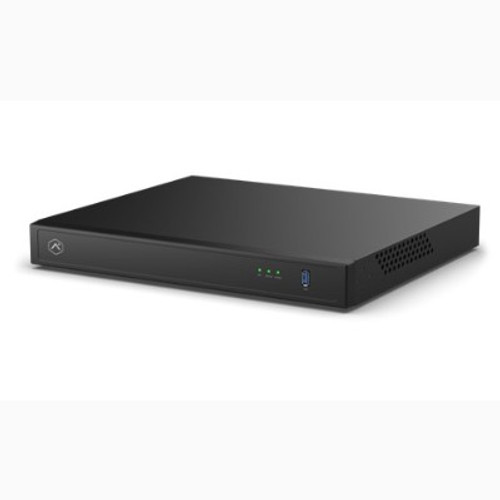



Pro Series CSVR, 16-Channel NDAA-Compliant Video Recorder with 16 PoE Ports & 6TB Storage
SKU ADC-CSVR2016P-1X6TB Model ADC-CSVR2016P-1x6TB
- Fast shipping from four branches
- 30-day returns on unopened products
Continuous local recording for up to 16 cameras, managed from the same Alarm.com account the dealer already uses for intrusion and the rest of the video. Footage lives on site on the recorder's own drives, while search, playback and clip sharing happen through Alarm.com, so the customer gets local retention without a VMS server or a client application on somebody's desktop.
Built for the commercial installer
Sixteen PoE ports power and carry the full sixteen cameras directly, so there is no separate injector or switch to mount, power and troubleshoot. On a full-count job that is one less box in the rack and one less thing to fail.
It ships with 6 TB installed across 1 of the 2 bays, with the platform supporting 32 tb (2x 3.5 in hdd, sata 6 gb/s, 16 tb per bay). The recorder handles Alarm.com and third-party cameras at the same time on a supported topology, which matters on a retrofit where the existing cameras stay and only some are replaced. Local display gives live and recorded playback plus clip and archive export at the unit, so pulling footage for an incident does not require a laptop or a site visit from the dealer.
NDAA Section 889 compliant and not produced by any entity on the FCC Covered List, which keeps it eligible for federal, state and education contracts where that language appears in the spec. Rack ears and a Cat5e cable are in the box.
Key features
- Records up to 16 cameras continuously with retention on site rather than metered cloud storage
- NDAA Section 889 compliant, so it clears procurement language that disqualifies most low-cost recorders
- No VMS server and no client software, managed from the Alarm.com account alongside intrusion and video
- Records Alarm.com and third-party cameras together, which keeps existing hardware in play on a retrofit
- Clip and archive export at the unit, so incident footage can be pulled on site
- Rack ears and Cat5e cable included for a clean rack install out of the box
System requirements
Requires an Ethernet connection to broadband and an Alarm.com customer account with a service package that supports the Pro Series CSVR. A USB keyboard and mouse are optional for local display use. The CSVR records 24/7 and cannot be scheduled to record only during set time frames.
Specifications
| SKU | ADC-CSVR2016P-1X6TB |
|---|---|
| Brand | Alarm.com |
| Form factor | Rack-mountable commercial stream video recorder |
| Recording channels | Up to 16 cameras |
| PoE ports | 16 RJ45 PoE ports |
| Storage installed | 6 TB installed (1 x 6 TB), 1 drive of 2 bays populated |
| Maximum storage | Up to 32 TB (2x 3.5 in HDD, SATA 6 Gb/s, 16 TB per bay) |
| Drive bays | 2 |
| Video output | 2x HDMI (up to 3840 x 2160) |
| Local display | Live and recorded video playback, clip export, archive export |
| Network ports | Client RJ45 port and Camera RJ45 port |
| Power input | Power cord with rear power switch |
| Dimensions | 14.4 x 12.5 x 1.9 in (36.6 x 31.6 x 4.8 cm) |
| Operating temp | 32F to 104F (0C to 40C) |
| Compliance | NDAA Section 889 compliant, not produced by any entity on the FCC Covered List |
| Compatibility | Alarm.com and supported third-party cameras on a supported network topology |
| Included accessories | Rack mount ears and screws, Cat5e Ethernet cable |