


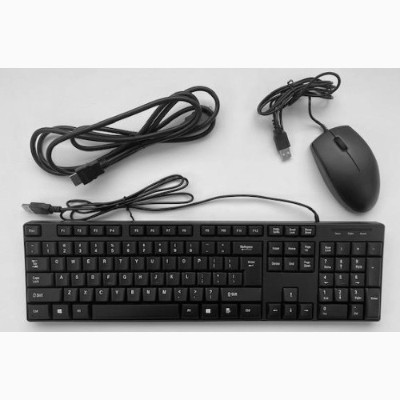
Everything needed to drive a Commercial SVR locally, in one part number. The 21XXP series CSVRs require a USB keyboard and mouse for the local display, so this is not an optional convenience on those units, it is a prerequisite.
Built for the commercial installer
Local access matters at commissioning and at the worst moments afterwards. If the network is the problem, the Alarm.com app is not how you diagnose it, and hunting for a spare keyboard in a customer's office is not a professional look.
One kit in the van covers every SVR call. The monitor is not included, since most sites have a display or the technician carries a portable one.
Key features
- Keyboard, mouse and HDMI cable in one part number, so nothing is missing on site
- Required for the 21XXP series CSVRs, which need a USB keyboard and mouse for local display
- Local diagnosis when the network is the fault, where remote tools cannot help
- One kit covers every SVR visit rather than borrowing hardware on site
System requirements
For Alarm.com Commercial SVR models including the CSVR126 series. A display is not included and must be provided. Note that the 21XXP series Pro Series CSVRs list a USB keyboard and mouse as required rather than optional.