


- Fast shipping from four branches
- 30-day returns on unopened products
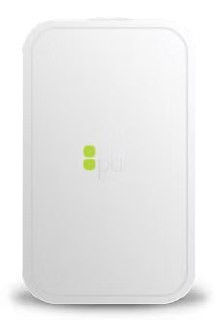
The PDK Red Hub is the PoE bridge that connects up to 16 Red Wireless Locksets to PDK.io. It sits on the network via standard Ethernet, communicates with locks over Bluetooth Low Energy at up to 100 feet, and provisions automatically the first time it reaches the cloud. No manual pairing step at each door.
How the Red Hub fits into a PDK deployment
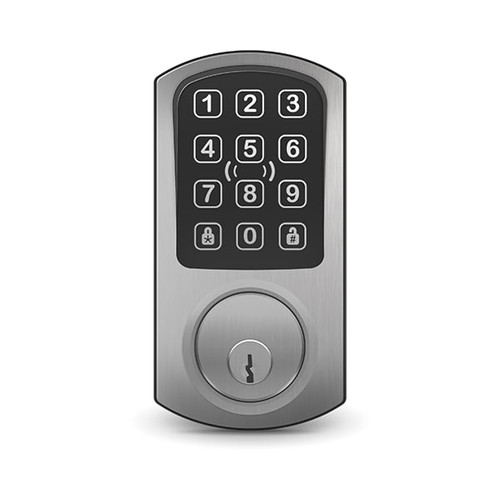
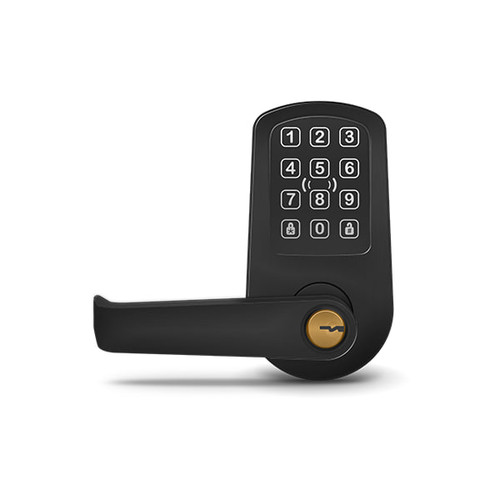
Every Red Wireless Cylindrical Lock and Red Wireless Deadbolt requires a Red Hub to communicate with PDK.io. The hub handles translation between the wireless network at the door and the IP network at the head end. PoE-powered from the existing switch by default, with a 12-24V DC fallback for non-PoE infrastructure. The low-profile white enclosure mounts to wall or ceiling and fits behind a drop tile or in a closet. Indoor use only.
Key features
- Supports up to 16 Red Wireless Locksets per hub: one device covers a full floor, suite, or wing
- PoE-powered from the existing switch; 12-24V DC fallback on non-PoE networks
- 100-foot BLE range gives flexible hub placement relative to lock locations
- Auto-provisions on PDK.io at first connection, same cloud enrollment as the rest of the PDK estate
- Bridges BLE to Ethernet with no additional controller required
- FCC and CE compliant; NDAA Section 889 compliant per PDK
Deployment notes
Plan one Red Hub per zone. The 100-foot BLE range is line-of-sight average; concrete walls and metal doors reduce effective range. Place the hub centrally within the door cluster it serves. A single hub is sufficient for most small multifamily floors (8 to 12 units), office suites, or classroom corridors. For larger deployments, add one hub per zone of up to 16 locks.
Specifications
| SKU | PDK-RHUB |
|---|---|
| Brand | PDK (ProdataKey) |
| Form factor | Wall or ceiling mount, indoor |
| Lock capacity | Up to 16 Red Wireless Locksets per hub |
| Wireless protocol (hub to lock) | Bluetooth Low Energy (BLE), 2.4 GHz |
| BLE range | ~100 feet line-of-sight |
| Connectivity (hub to network) | Ethernet 10/100 Mbps |
| Power input | PoE (IEEE 802.3af) or 12-24V DC via terminal block |
| Compatible platform | PDK.io 2.0 |
| Required for | PDK Red Wireless Cylindrical Lock, PDK Red Wireless Deadbolt |
| Enclosure color | White |
| Dimensions | 4.0" W x 2.5" H x 2.0" D |
| Environment | Indoor use only |
| Operating temperature | -4°F to 113°F (-20°C to 45°C) |
| Operating humidity | 10-90% RH, non-condensing |
| Compliance | FCC, CE, NDAA Section 889 |
| Warranty | 1-5 years (partner tier dependent) |
Documents and resources
FAQs
Is a PoE switch required?
How does the hub connect to PDK.io?
Can the hub be ceiling-mounted?
How many hubs does a typical project need?
What's the real-world BLE range?
Does the hub need to be paired to each lock manually?
Is the Red Hub NDAA Section 889 compliant?
More in Access Control
All Access Control-
PDK (ProdataKey)
PDK | Red Wireless Cylindrical Lock - Prox + Keypad, Satin Chromium | RLC2PKS
PDK-RLC2PKS -
PDK (ProdataKey)
PDK | Red Wireless Cylindrical Lock - Prox + Keypad, Flat Black | RLC2PKB
PDK-RLC2PKB