


- Wireless technology Wi-Fi

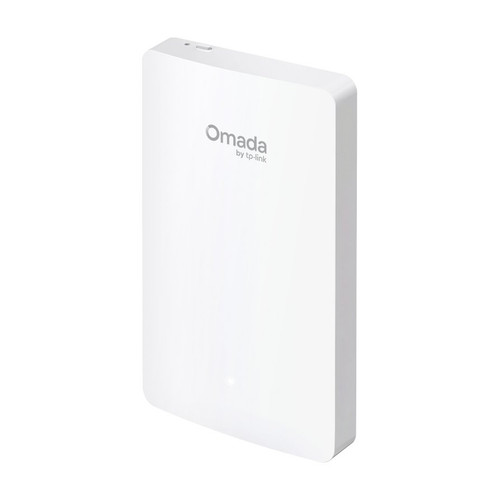
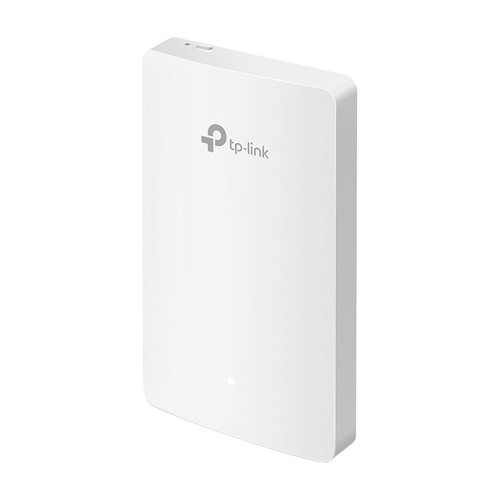
Omada AX3000 Wall-Plate Dual-Band Wi-Fi 6 Access Point, 3 Gigabit Downlink Ports, PoE Passthrough
SKU TPL-EAP655-Wall Model EAP655-Wall
- AX3000 dual-band Wi-Fi 6 in a wall plate, with 120+ concurrent clients
- Gigabit uplink plus three Gigabit jacks, one with PoE passthrough for a phone
- Runs on 802.3af/at PoE; PoE passthrough needs 802.3at PoE+ input, up to 10 W US
- Wall-plate mounting with screws included; Omada managed with zero-touch provisioning
- Fast shipping from four branches
- 30-day returns on unopened products
Product highlights
- ConnectivityAX3000 Wi-Fi 6
- Ports1 uplink + 3 Gigabit jacks
- PoE802.3af/at in, 1 port out
- Range600 sq ft, 120+ clients
- MountWall plate
The Omada EAP655-Wall puts AX3000 Wi-Fi 6 and three wired Gigabit jacks in a wall-plate unit, so one cable to a hotel room, dorm or meeting room gives the room Wi-Fi plus ports for a TV, phone or desk. One downlink port passes PoE through to a device such as an IP phone.
Built for room-by-room installs
It runs from 802.3af or 802.3at PoE on the uplink and fits EU and US junction boxes. PoE passthrough needs 802.3at PoE+ input and delivers up to 10 W (US version, lab tested). Wi-Fi 6 gives up to 2402 Mbps on 5 GHz and 574 Mbps on 2.4 GHz, with a 600 sq ft coverage rating and 120+ clients.
Key features
- Wi-Fi plus wired in one drop: Gigabit uplink and three Gigabit downlink jacks at the wall
- PoE passthrough: one downlink port, up to 10 W US, requires 802.3at PoE+ input
- 802.3af/at powered: no power adapter to place in the room
- AX3000 dual-band Wi-Fi 6: OFDMA, MU-MIMO, band steering and airtime fairness
- Mounting screws included: wall-plate mounting, 4 screws in the package
- Omada managed: roaming, captive portal and zero-touch provisioning through the controller
System requirements
Roaming, captive portal and zero-touch provisioning require an Omada controller. PoE passthrough requires 802.3at PoE+ input. Wi-Fi 6 features depend on the client devices supporting them.
Specifications
| SKU | TPL-EAP655-Wall |
|---|---|
| Brand | TP-Link |
| Form factor | Wall-plate dual-band Wi-Fi 6 access point |
| Communication | Ethernet / IP |
| Power input | 802.3af/at PoE |
| Power consumption | 12.6 W max (US, 802.3at, PoE out off) |
| Wi-Fi standard | Wi-Fi 6 |
| PoE | 802.3af PoE |
| PoE | 802.3at PoE+ |
| Port speed | Gigabit |
| Works with | Omada |
| Ethernet ports | Uplink: 1 x Gigabit RJ45; downlink: 3 x Gigabit RJ45 |
| PoE output | 1 downlink port, requires 802.3at PoE+ input, up to 10 W (US), lab tested |
| Wireless standards | IEEE 802.11ax/ac/n/g/b/a |
| Wireless speed | Up to 2402 Mbps on 5 GHz, up to 574 Mbps on 2.4 GHz |
| Concurrent clients | 120+ |
| Coverage | 600 sq ft (50 m²) |
| Antennas | Internal dual-band: 2 x 3 dBi (2.4 GHz), 2 x 5 dBi (5 GHz) |
| SSIDs | Up to 16 (8 per band) |
| Wireless security | WPA3, WPA2 and WPA Personal/Enterprise, captive portal, rogue AP detection, client isolation, SSID to VLAN mapping |
| Controller management | Omada Cloud-Based, Hardware and Software Controller; Omada app |
| Communication notes | SNMP v1/v2c/v3, SSH, HTTP/HTTPS web management, local/remote syslog, management VLAN, L3 management |
| Surge protection | 2 kV on the Ethernet ports |
| Mounting | Wall plate (kit included); fits EU and US junction boxes |
| Dimensions | 5.6 x 3.4 x 1.7 in (143 x 86 x 42.6 mm) |
| Operating temp | 32°F to 104°F (0°C to 40°C) |
| Operating humidity | 10 to 90% RH, non-condensing |
| Compliance | Wi-Fi Alliance, FCC |
| Package contents | EAP655-Wall, installation guide, 4 mounting screws |