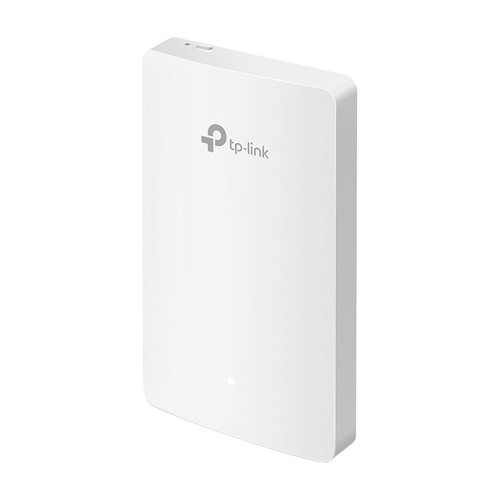




Omada Gigabit Hardware Controller with Cloud Access, PoE or Micro-USB Power
SKU TPL-OC200 Model OC200
- Omada hardware controller, recommended by TP-Link for managing 25 Omada devices
- Free cloud access with the Omada app and web UI, plus multi-site management
- Powers from an 802.3af/at PoE port, or from a Micro-USB 5V supply at 1 A minimum
- Two Gigabit RJ45 ports and a USB 2.0 port for controller auto backup
- Fast shipping from four branches
- 30-day returns on unopened products
Product highlights
- CompatibilityOmada EAP, switch, gateway
- Ports2 Gigabit, 1 USB 2.0
- PoE802.3af/at powered
- PowerPoE or Micro-USB 5V
- Size3.9 x 3.9 x 1.0 in
The OC200 is a compact Omada hardware controller that manages a site without leaving a PC or server running. It powers from an 802.3af/at PoE port or a Micro-USB supply, so it can sit on a shelf or in a rack next to the switch that feeds it.
Built for small and mid-size Omada sites
TP-Link recommends the OC200 for managing 25 Omada devices, which keeps the dashboard responsive. It adds free cloud access through the Omada app or web UI, automatic device discovery, batch configuration and firmware upgrades, network topology, multi-site management and captive portal configuration. It manages Omada EAPs, and some Omada switch, gateway and DeltaStream GPON OLT models. Two Gigabit ports and a USB 2.0 port for auto backup sit on the front.
Key features
- Recommended for 25 Omada devices: capacity figure from TP-Link, based on lab testing
- Free cloud access: manage from anywhere with the Omada app or web UI
- PoE or Micro-USB power: 802.3af/at PoE or 5V DC at 1 A minimum
- Multi-site management: up to 100 sites with batch configuration and firmware upgrades
- USB 2.0 port: supports auto backup
- Metal casing: 2 Gigabit RJ45 ports
System requirements
Needs a PoE source (802.3af/at) or a Micro-USB 5V supply, an Ethernet connection to the Omada network, and supported Omada devices. Managed through a web browser or the Omada app.
Specifications
| SKU | TPL-OC200 |
|---|---|
| Brand | TP-Link |
| Form factor | Compact Omada hardware controller |
| Communication | Ethernet / IP |
| Power input | 802.3af/at PoE or Micro-USB (DC 5V, minimum 1 A) |
| Power consumption | 11.96 W max (PoE powered, USB 2.0 connected); 4.49 W (Micro-USB, no USB 2.0) |
| PoE | 802.3af PoE |
| PoE | 802.3at PoE+ |
| Port speed | Gigabit |
| Works with | Omada |
| Ethernet ports | 2 x 10/100/1000 Mbps RJ45 |
| USB ports | 1 x USB 2.0 (auto backup), 1 x Micro-USB (power only) |
| PoE features | Powered by an 802.3af/at PoE source or Micro-USB |
| Management capacity | Recommended for managing 25 Omada devices (lab-tested; actual capacity varies with deployment) |
| Managed device types | Omada EAP; some Omada switch, gateway and DeltaStream GPON OLT models |
| Maximum sites | 100 |
| Controller management | Omada hardware controller; Omada app, web UI and free cloud access; L3 management and multi-site management |
| Management features | Automatic device discovery, batch configuration and firmware upgrade, reboot and PoE schedules, captive portal, SNMP, SSH, backup and restore |
| Processor | Quad-core A53 at 2.0 GHz per core |
| Memory | 1 GB DDR4, 4 MB NOR flash, 8 GB eMMC |
| Mounting | Kensington lock slot |
| Dimensions | 3.9 x 3.9 x 1.0 in (100 x 98 x 25 mm) |
| Operating temp | 23°F to 122°F (-5°C to 50°C) |
| Operating humidity | 10 to 90%, non-condensing |
| Compliance | CE, FCC |
| Package contents | OC200 controller, quick installation guide, Ethernet cable |