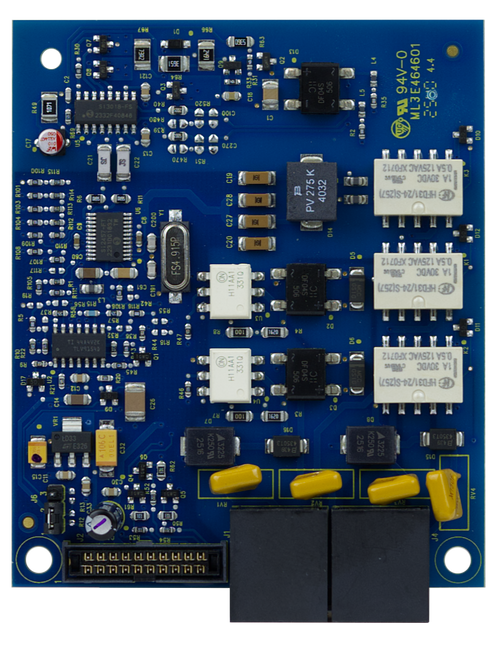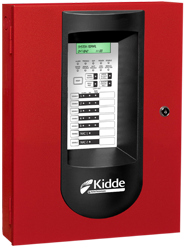



The SA-DACT plugs directly into the panel's main board and reports every system event — alarm, supervisory, trouble, disable, test, and monitor — to a central station over standard phone lines, with dual-line support so the report goes out split or duplicated across two accounts.
Built for the commercial fire installer
Installation is a ribbon-cable connection to the main board's dialer slot, no external enclosure or separate power supply to run. The onboard modem also handles panel configuration upload/download and history retrieval from a PC running the configuration utility over line 1, so service calls that need a full config pull don't require pulling the panel apart.
Key features
- Dual-line dialing with single, dual, or split reporting to two accounts
- Priority message queuing: alarm, supervisory, trouble, disable, test, and monitor events
- Onboard modem for panel configuration upload/download and history retrieval
- Plugs directly into the main board via ribbon cable — no separate enclosure
- Contact ID (CID) reporting format
Compatibility
Kidde FX, VS, and VM series fire alarm control panels with a dialer card slot.
Brand:
Kidde Commercial
Form factor:
Dual-line digital alarm communicator/dialer card
Reporting format:
Contact ID (CID)
Reporting modes:
Single, dual, or split line reporting
Programming:
Onboard modem, upload/download via PC utility (line 1)
Mounting:
Plugs into main board dialer slot via ribbon cable
What reporting format does the SA-DACT use?
Contact ID (CID) only.
Can it report to two different monitoring accounts?
Yes, it supports single, dual, or split reporting of events to two separate account and telephone numbers.
Does the SA-DACT need a separate enclosure or power supply?
No, it plugs directly into the panel's main board via a ribbon cable and is powered from the panel.
What is the modem feature used for?
Uploading and downloading panel configuration, history, and current status to a PC running the configuration utility, using line 1.
Spec Sheet