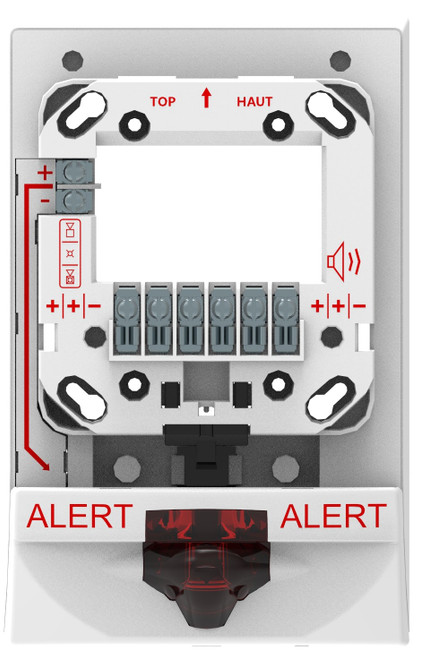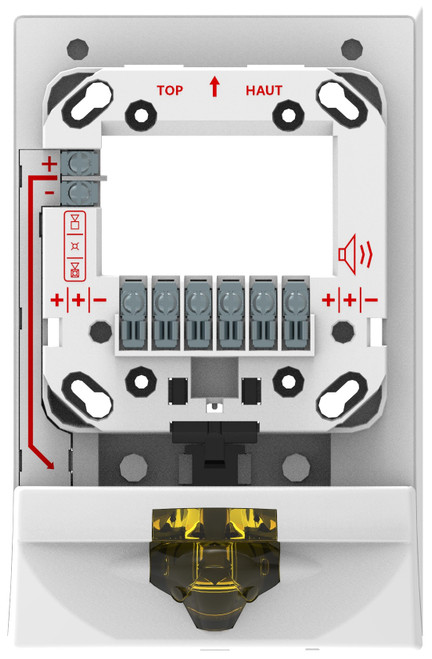



Genesis LED G4SE Strobe Expander, White, ALERT Marking, Amber Lens
SKU KD-G4SEWA-A
- Fast shipping from four branches
- 30-day returns on unopened products
The Kidde Genesis LED G4SE Strobe Expander adds an independently controlled amber strobe behind any Genesis LED EG4 or EG4S Series appliance - no extra backbox, no additional conduit run. One device behind a single-gang opening gives the job both life safety and mass notification strobe coverage, cutting install time and wall space on projects that require dual-mode visual signaling.
Built for the commercial installer
The G4SE mounts flush on a standard North-American 4-inch square box (1-1/2" deep minimum) and snaps behind the host Genesis appliance. Ultra-low current draw (28 mA on VDC, 36 mA on VFWR) keeps NAC circuit loading manageable on large notification zones. UL Listed and CSFM approved, with synchronization that exceeds UL requirements - within 10 ms over a 2-hour period.
Key features
- Independent amber MNEC strobe (75 cd): separate visual signal for mass notification without replacing the host appliance
- Ultra-low current draw: 28 mA (VDC) / 36 mA (VFWR) preserves NAC circuit capacity
- Backward compatible: 20 ms pulse width synchronizes with legacy xenon Genesis strobes on the same loop
- Standard box mounting: fits any 4-inch square box, at least 1-1/2" deep - no special hardware
- Works with existing sync sources: Kidde CC Series Signal Modules, Booster and Auxiliary Power Supplies, Intelligent and Conventional Control Panels
- UL Listed and CSFM approved for code-compliant commercial fire alarm and MNEC installations
System requirements
The G4SE requires a Genesis LED EG4S Series speaker or speaker-strobe, or a Genesis LED EG4 Series horn, strobe, or horn-strobe as the host appliance. It connects to the same NAC or auxiliary circuit as the host and is controlled independently via a second pair of wires (12 to 18 AWG). Compatible with Kidde Intelligent and Conventional control panels.
Specifications
| SKU | KD-G4SEWA-A |
|---|---|
| Brand | Kidde Commercial |
| Form factor | Wall-mount strobe expander, low-profile |
| Operating voltage | 16 to 33 VDC, 16 to 33 VFWR |
| Current draw | 28 mA (VDC), 36 mA (VFWR) |
| Light output | 75 cd (amber lens) |
| Strobe flash rate | 1 fps (approx.) |
| Lens color | Amber |
| Housing color | White |
| Marking | ALERT |
| Dimensions | 8.0 in. h x 5.12 in. w x 2.33 in. d |
| Mounting | Flush, North-American 4 in. square box, at least 1-1/2 in. deep |
| Wire size | 12 to 18 AWG (0.75 to 2.50 mm sq.) |
| Operating temp | 32 to 120 F (0 to 49 C) |
| Operating humidity | 0 to 93% relative humidity (non-condensing) |
| Storage temp | -40 to 158 F (-40 to 70 C) |
| Synchronization | 20 ohm max. between any two devices; 20 ms pulse width |
| Sync sources | Kidde CC Series Signal Modules, Booster and Auxiliary Power Supplies, Intelligent and Conventional Control Panels |
| Compatibility | Genesis LED EG4S speakers/speaker-strobes, EG4 horns/strobes/horn-strobes, legacy Genesis appliances |
| Installation type | Indoor, dry |
| Compliance | UL Listed (S5389), FCC, CSFM (7125-1657:0518) |
Documents and resources
FAQs
What appliances does the G4SE Strobe Expander mount behind?
Does the G4SE work with legacy xenon Genesis strobes on the same circuit?
Does this support mass notification (MNEC)?
What electrical box does this require?
How does synchronization work with this device?
More in Kidde Commercial
All Kidde Commercial-
Kidde Commercial
Kidde | Genesis LED G4SE Strobe Expander, White with ALERT Marking, Blue Lens | G4SEWA-B
KD-G4SEWA-B -
Kidde Commercial
Kidde | Genesis LED G4SE Wall Mount Strobe Expander, White with ALERT Marking, Red Lens | G4SEWA-R
KD-G4SEWA-R -
Kidde Commercial
Kidde | Genesis LED G4SE Strobe Expander, White Housing, ALERT Marking, Green Lens, 65 cd, UL Listed | G4SEWA-G
KD-G4SEWA-G -
Kidde Commercial
Kidde | Genesis LED G4SE Strobe Expander, Red Housing, ALERT Marking, Amber Lens, 75 cd | G4SERA-A
KD-G4SERA-A -
Kidde Commercial
Kidde | Genesis LED G4SE Wall-Mount Strobe Expander, White with Amber Lens | G4SEWN-A
KD-G4SEWN-A